Home › Guides › The Laser Settings Handbook
The Laser Settings Handbook
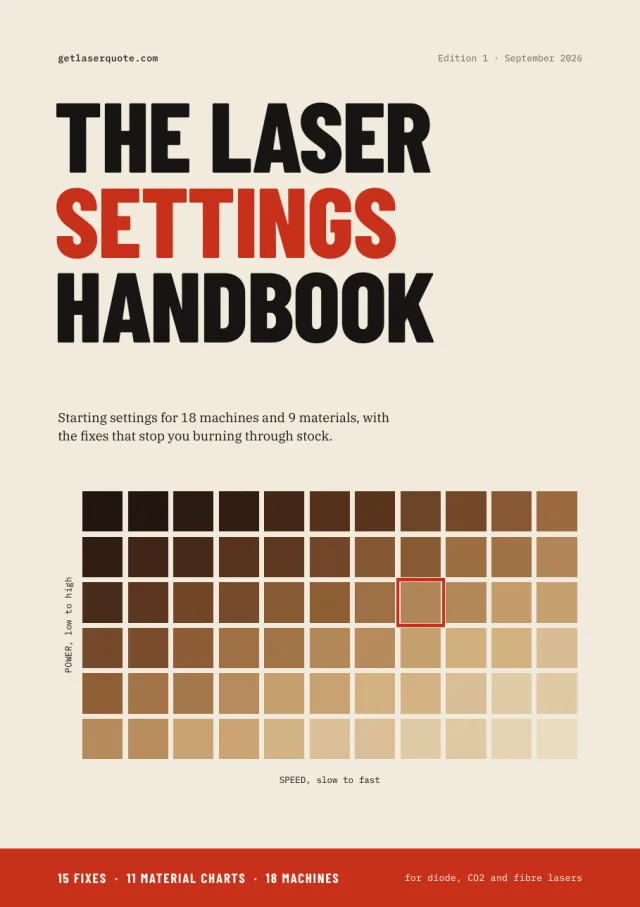
Every settings guide on this site, edited into one printable book: starting power and speed for 18 machines, 11 material charts, the 15 fixes for the problems that ruin a sheet, and a log for your own numbers. 168 A4 pages for diode, CO2 and fibre lasers.
$15 launch price (then $19) · PDF, 168 A4 pages · instant download
Read the free 13-page sample first: the cover, the full contents, how to use the book and the first two chapters, on focusing and on running a test grid.
What's inside
46 chapters in four parts, plus a log.
- Part 1, 15 fixes: focus and the ramp test, the material test grid, finding settings for a material with no chart, air assist, burn marks on wood, flashback, banding and ghosting, cuts that don't go through, sudden power loss, a laser that moves but won't fire, CO2 mirror alignment, LightBurn framing in the wrong place, rotary engraving, fume extraction, and joinery that fits.
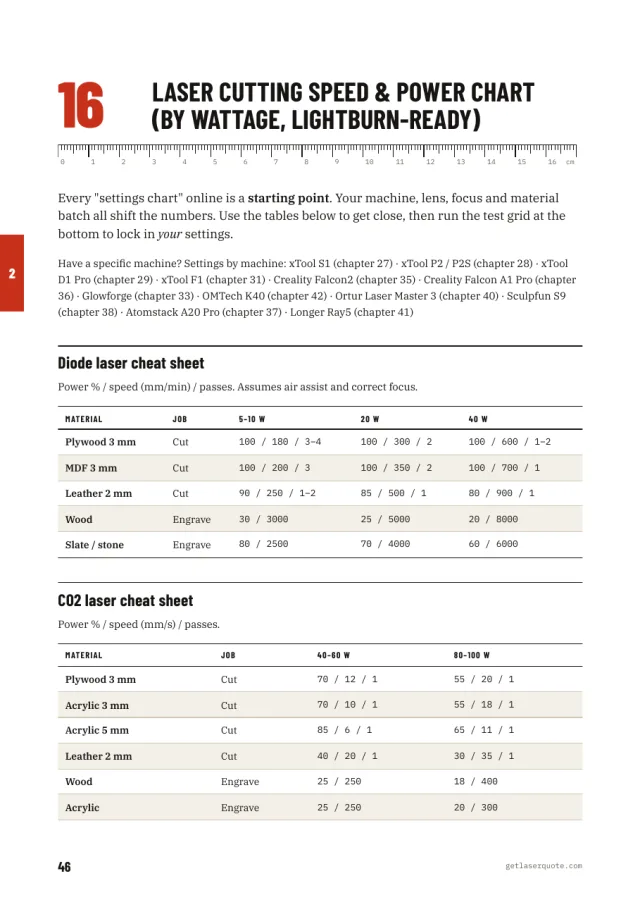
- Part 2, 11 material charts: the power and speed chart by wattage (diode 5–40 W, CO2 40–100 W), wood, acrylic, leather, slate, glass, aluminium, paper and card, photo engraving, bare metal with a diode, and what a laser can and can't cut.
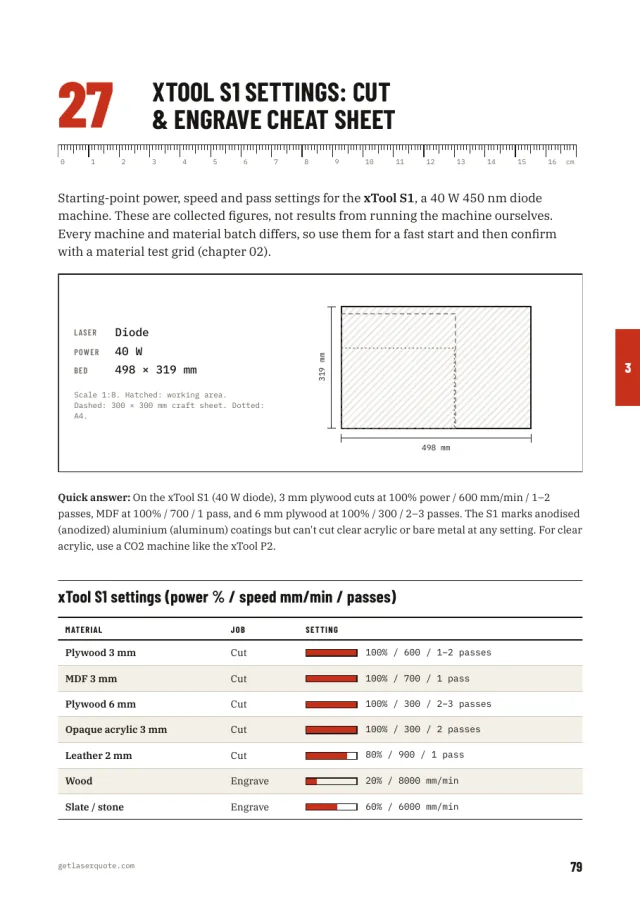
- Part 3, 18 machines: xTool S1, P2, D1 Pro, M1 Ultra, F1 and F1 Ultra; Glowforge Basic/Plus/Pro and Aura; Creality Falcon2 and Falcon A1 Pro; Atomstack A20 Pro; Sculpfun S9 and S30 Pro Max; Ortur Laser Master 3; Longer Ray5; OMTech K40 and Polar 50W; ComMarker B4. Each chapter has a 1:8 drawing of the machine's bed with an A4 sheet and a 300 mm craft sheet drawn in.
- Part 4, pricing your work: how to price engraving, and what laser cutting really costs.
- Appendix: a printable settings log for your own results.
Is this the same as the free guides?
The numbers, yes. Every chart comes from the settings guides on this site, and those stay free. What the handbook adds is the format: one edited book you can print and keep next to the machine, the machines side by side, a true-scale ruler on every chapter, power bars you can read at a glance, the fixes in the order you need them when a job goes wrong, and a log to write your own results into. No ads, no shop boxes, and it works with the Wi-Fi off.
Where the numbers come from
From manufacturers' published settings, from settings owners have shared, and from the speed-to-power scaling working shops use. We have not run these machines ourselves, so every row is a starting point, and chapter 02 shows how to turn it into your own number with a test grid.
FAQ
What format is The Laser Settings Handbook?
A 168-page A4 PDF of about 2 MB. It reads on a phone, tablet or laptop, and prints at 100% so the ruler at the head of each chapter is true to scale.
Which lasers does the handbook cover?
Diode, CO2 and fibre lasers: 18 named machines from xTool, Glowforge, Creality, Atomstack, Sculpfun, Ortur, Longer, OMTech and ComMarker, plus charts by wattage for diode lasers from 5 to 40 W and CO2 lasers from 40 to 100 W.
Is the handbook the same as the free guides on this site?
The numbers are the same. The handbook puts all of them into one edited, printable book with bed drawings, power bars, the troubleshooting chapters and a settings log, with no ads.
Can I read a sample before buying?
Yes. The free 13-page sample has the cover, the full table of contents, how to use the book and the first two chapters, on focusing a laser and running a material test grid.
Where do the settings in the handbook come from?
From manufacturer documentation, settings owners have published and the speed-to-power scaling working shops use. We have not run these machines ourselves, so treat each row as the first cell of your own test grid; chapter 02 shows how.