Home › Guides › Laser engraving settings for leather
Laser cutting and engraving settings for leather
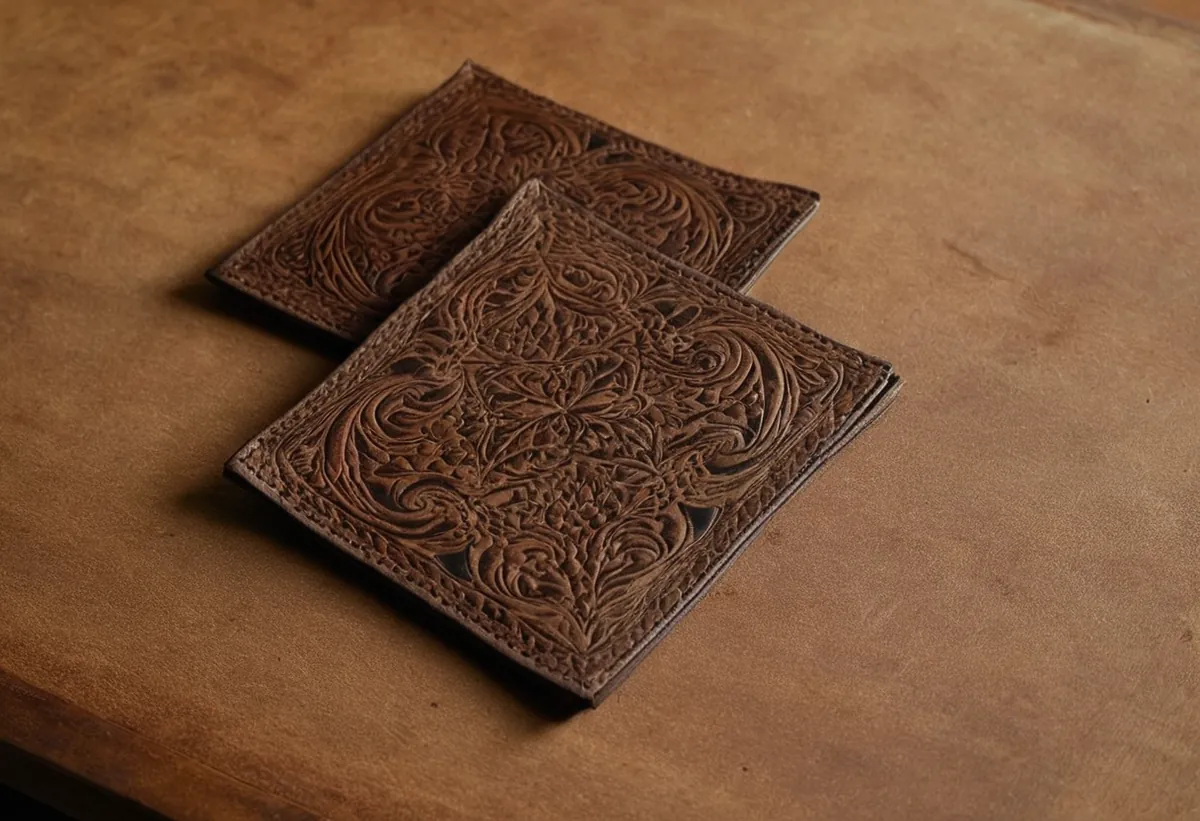
Real leather engraves beautifully — it darkens rather than just burning, so the mark looks like part of the hide. The two things that go wrong are too much power (stiff, cracked, smelly) and faux leather (toxic).
Quick answer: laser cutting leather settings for 2 mm hide are 40% power at 20 mm/s on a 40–60 W CO2 (one pass), or 85–100% at 250–900 mm/min on a diode. Laser engraving settings run much lighter: 15–20% power at 400 mm/s, 300 DPI on the same CO2. Never cut faux or PU leather — it is usually PVC and releases toxic chlorine gas.
Price a job on this material →Settings table
| Job | CO2 40–60 W | CO2 80–100 W | Diode |
|---|---|---|---|
| Leather, engrave | 15–20% · 400 mm/s · 300 DPI | 12–18% · 500 mm/s · 300 DPI | 20–40% · 150 mm/s |
| Leather 2 mm, cut | 40% · 20 mm/s · 1 pass | 30% · 35 mm/s · 1 pass | 85–100% · 250–900 mm/min |
Starting points, not guarantees. Focus, air assist, lens condition and the batch all move these numbers — confirm yours with a material test grid on an offcut before running a real job.
Veg-tan is the one you want
Vegetable-tanned leather darkens to a rich brown under the laser because the tannins react to heat. Chrome-tanned leather gives a greyer, flatter mark and can smell strongly. If you are selling engraved leather, buy veg-tan and charge for it.
Finished and dyed leathers vary enormously batch to batch — the finish burns before the hide does, so test every new hide.
Never engrave faux leather
Faux, PU and “bonded” leather are usually PVC-based. Lasering PVC releases chlorine gas, which is toxic to you and corrodes the metal and optics inside your machine. The words to avoid on a listing are leatherette, pleather and PU leather. If the seller cannot tell you what it is, do not cut it.
High speed, low power
Leather engraves best fast and light. High power at low speed drives heat into the hide, stiffening it around the mark and leaving a burnt smell that never fully leaves the product. If the mark is too pale, raise power in 2–3% steps rather than slowing down.
Masking is rarely needed, but a light wipe with a barely damp cloth afterwards lifts the soot halo that otherwise dulls the surrounding leather.
Common problems
- Stiff, curled edges — too much power. Speed up and drop power.
- Pale, grey mark — chrome-tanned hide, not your settings. Switch to veg-tan.
- Strong lasting smell — overburning, or a synthetic hide. Check what you actually bought.
- Halo around the design — smoke deposit. Improve extraction and wipe after.
Turning settings into a price
Once the settings are stable, the job becomes arithmetic: engraved area divided by speed and line interval gives machine time, and machine time times your rate gives the price. The engraving time calculator does it from dimensions, and the file calculator does it straight from your SVG, DXF or PDF. For what to charge per hour, see the hourly rate calculator.
All of these charts in one printable book: The Laser Settings Handbook — 18 machines, 11 material charts, the 15 fixes and a settings log in 168 pages. Read the free 13-page sample.
FAQ
What settings engrave leather on a CO2 laser?
Start at 15-20% power, 400 mm/s and 300 DPI on a 40-60 W CO2 laser, or 12-18% at 500 mm/s on an 80-100 W machine. Leather wants high speed and low power - the mark comes from darkening the tannins, not from burning material away. Always test on an offcut of the same hide.
Can a diode laser engrave leather?
Yes, and it does it well. Start around 20-40% power at 150 mm/s on a 5-10 W diode. Diodes suit leather better than they suit most materials, because leather needs a light touch rather than raw power.
Why does my engraved leather smell burnt?
Almost always too much power. Leather darkens at low power and high speed; driving more power into it burns the hide rather than marking it, and that smell stays in the finished product. It can also mean the material is not real leather - synthetic hides smell acrid and should not be lasered at all.
Is it safe to laser faux leather?
No. Faux, PU and bonded leather are usually PVC-based, and lasering PVC releases chlorine gas that is toxic and corrodes your machine internally. Use only real leather, and buy from a supplier who will tell you the tanning method.
What are the best laser cutting settings for leather?
For 2 mm leather, run 40% power at 20 mm/s on a 40-60 W CO2 in one pass, or 30% at 35 mm/s on an 80-100 W machine. On a diode, use 85-100% power at 250-900 mm/min. Always test on an offcut of the same hide, since thickness and tanning vary.
What thickness of leather can a laser cut?
These settings are dialled in for around 2 mm leather, a common belt and strap thickness, cutting in a single pass at 40% power and 20 mm/s on a 40-60 W CO2. Thicker hides need lower speed or more passes - test in steps rather than guessing a big jump.