Home › Guides › Sculpfun S30 Pro Max settings — cut & engrave…
Sculpfun S30 Pro Max settings for wood and acrylic
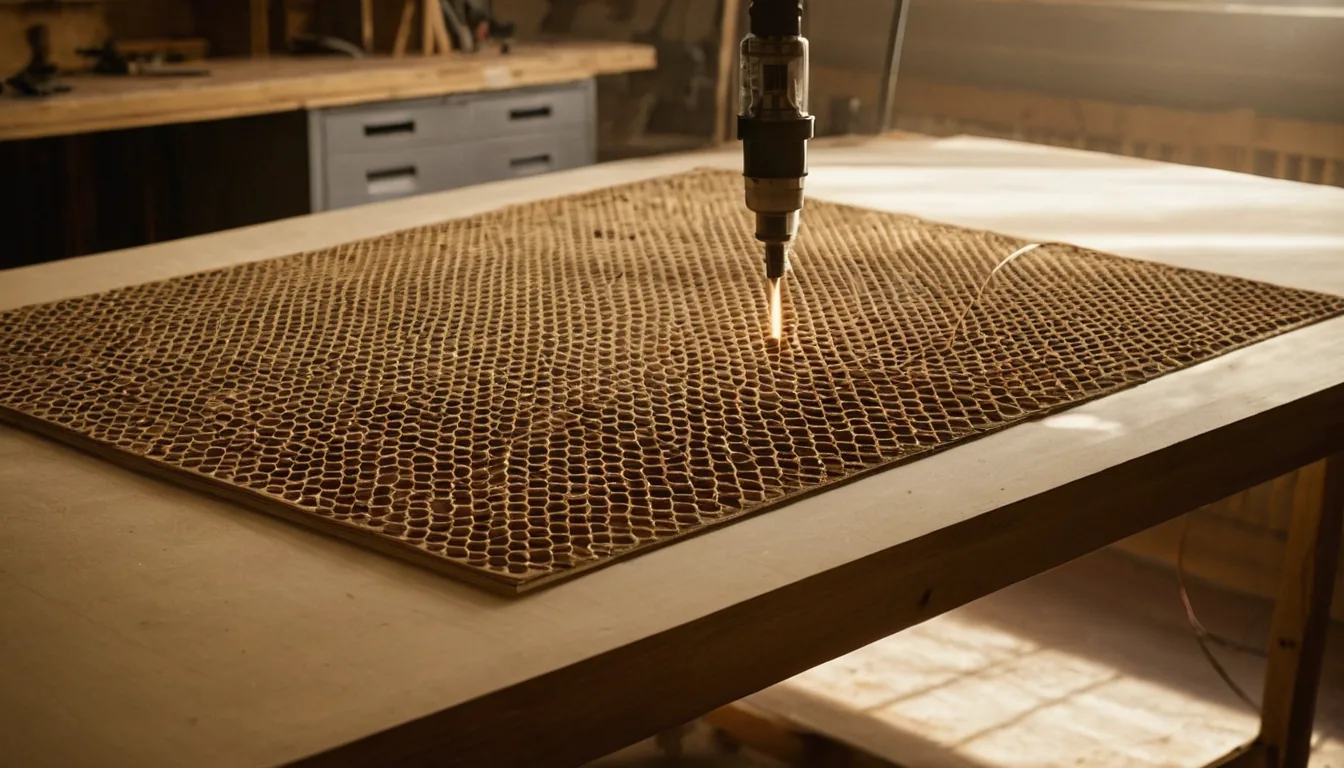
Starting-point power, speed and pass settings for the Sculpfun S30 Pro Max (Diode, 20 W optical, ~455 nm) — Sculpfun's top open-frame diode in the S30 line, above the 10 W S30 Pro and 5 W S30. Every machine, diode batch and material batch differs, and we have not run an S30 Pro Max through our own shop — treat these as a fast start from Sculpfun's published specs and community reports, then confirm with a test grid.
Quick answer: for 3 mm basswood plywood, start with 100% power / 500 mm/min / 1 pass on the S30 Pro Max (20 W); for 5 mm opaque acrylic use 85% power / 100–300 mm/min / 4–8 passes. Clear acrylic still needs a CO2 laser — the ~455 nm diode beam passes straight through transparent (colourless/colorless) stock instead of cutting it.
Sculpfun S30 Pro Max settings (power % / speed mm/min / passes)
These are starting points, not results from our own test cuts — Grafline has not run an S30 Pro Max through its shop. Sculpfun's own listing rates the module at 15 mm wood and 10 mm opaque acrylic in a single pass, at full power and a crawl of a speed, with engraving moves up to 25,000 mm/min. The settings below combine Sculpfun's own published cutting guide with starting points reported by S30 Pro Max owners in the LightBurn community — confirm every one of them with a test grid before committing good stock.
| Material | Job | Setting |
|---|---|---|
| Basswood 3 mm | Cut | 90% / 450 / 1 pass |
| Basswood plywood 3 mm | Cut | 100% / 500 / 1 pass |
| Basswood plywood 3 mm | Engrave | 50% / 5000 / 1 pass |
| Baltic birch plywood 6 mm | Cut | 100% / 200 / 3 passes |
| MDF 3 mm | Cut | 100% / 400 / 1 pass |
| MDF 3 mm | Engrave | 40–45% / 2000 / 1 pass |
| Opaque acrylic 5 mm | Cut | 85% / 100–300 / 4–8 passes |
| Genuine leather 3 mm | Engrave | 40% / 3000 / 1 pass |
| Slate | Engrave | 68% / 3000 / 1 pass |
| Anodised aluminium | Engrave | 60% / 2000 / 1 pass |
Clear vs opaque acrylic: the S30 Pro Max is a diode laser and cannot cut clear or transparent acrylic — the ~455 nm beam passes straight through it. Dark, opaque acrylic cuts slowly. Clear acrylic can only be marked if you paint or mask the surface first, so the coating absorbs the beam. For cutting clear acrylic you need a CO2 laser.
Always: run air assist on cuts, focus for the exact thickness, and don't hold 100% power to force a cut through — slow the speed or add a pass instead.
The charts from this site in one printable book: The Laser Settings Handbook — 18 machines, 11 material charts, the 15 fixes and a settings log in 168 pages. Machine guides added since the book was made are free online only. Read the free 13-page sample.
Get an exact price for the Sculpfun S30 Pro Max
Settings give you the speed; the cutting time calculator turns your file's path length into an actual job time on this machine. For a full quote with materials and machine rate included, use the calculator on the homepage.
What an S30 Pro Max needs next to it
The S30 Pro Max ships with its air pump and a pair of goggles, but no housing: the beam and the smoke are out in the room while it runs.
Laser enclosure: Check price on Amazon ↗
Inline exhaust fan: Check price on Amazon ↗
Honeycomb bed: Check price on Amazon ↗
Basswood sheets 3 mm: Check price on Amazon ↗
An enclosure only helps if the smoke goes somewhere: vent it outdoors with the fan rather than into the room.
Disclosure: some links are affiliate links — if you buy through them we may earn a small commission at no extra cost to you. Prices are approximate list prices at the time of writing; always check the current offer.
Bed size: what actually fits
The S30 Pro Max's standard engraving area is 370 × 360 mm, slightly smaller than the 10 W S30 Pro's 380 × 385 mm — the heavier 20 W module eats a little travel on both axes. Sculpfun's own extension kit stretches this to 900 × 370 mm on one axis or 890 × 900 mm with both kits fitted; Sculpfun's own retail listings and other sellers give a similar but not identical 935 × 905 mm for the fully extended bed, so check the kit listing against your own unit before buying stock sized to it.
| Common stock | Size | On this machine |
|---|---|---|
| A4 sheet | 297 × 210 mm | Fits |
| 300 × 300 mm craft ply | 300 × 300 mm | Fits |
| Full bed sheet | 370 × 360 mm | Fits — edge to edge |
| 400 × 400 mm sheet | 400 × 400 mm | Does not fit — cut it down first |
| 600 × 400 mm sheet | 600 × 400 mm | Does not fit on the standard bed — needs the extension kit |
| Sign blank / long strip | up to 900 × 360 mm | Fits only with the Y-axis extension kit installed |
Fitting parts onto the sheet efficiently is where material cost is actually won or lost. Our nesting tool takes your file and this bed size and tells you parts per sheet; the sheet yield calculator does the same from plain dimensions.
What the Sculpfun S30 Pro Max cannot do
Knowing the hard limits saves more material than any settings tweak:
- No clear or transparent acrylic. Like every ~455 nm diode, the beam passes straight through clear acrylic instead of cutting it. Dark, opaque acrylic cuts slowly on Sculpfun's own settings; clear needs a CO2 laser.
- No bare metal, cut or marked without a coating. Sculpfun's own materials list puts stainless steel and aluminium oxide under engraving, never under cutting. It marks anodised aluminium and coated metal directly; bare steel, brass or copper need a sacrificial coating such as marking spray first — the beam heats the coating, not the metal underneath.
- The headline cutting figures are best-case. Sculpfun's own 15 mm wood and 10 mm opaque acrylic ratings are for a single pass at full power and a slow speed. Community-reported settings for this machine mostly cut 3–6 mm stock in one to three passes for a clean edge — treat the marketing figures as a ceiling, not a starting point.
- Open frame means no enclosure. The S30 Pro Max ships with laser goggles but no housing, so the beam and any fumes are exposed while a job runs. Rated eye protection and fume extraction aren't optional extras on this machine — they're the difference between a hobby laser and an eye injury.
Troubleshooting: symptom, cause, fix
| Symptom | Usual cause | Fix |
|---|---|---|
| Engraving looks faint even set to 100% power | LightBurn's S-Value Max is at the GRBL-M3 default of 255 instead of the 1000 the S30 firmware expects | Import Sculpfun's own S30 Pro Max device profile, or open Edit > Device Settings in LightBurn, confirm the controller type is GRBL (not GRBL-M3), and set S-Value Max to 1000. |
| Air assist pump clicks on and the LED lights, but no air comes out | The pump's intake holes are blocked by soot, especially if the pump sits inside the same enclosure as the laser and draws in burnt debris | Disassemble and clean the pump, then move its air intake outside the fume enclosure so it only ever draws clean air. |
| Cut doesn't go all the way through, top looks fine | Focus set for the wrong stock thickness | Refocus on the actual material: rest the focus tool or a scrap offcut on the stock, slide the module down until it just touches, then tighten. |
| Edges heavily charred or flaming | No air assist, or too many slow passes stacking heat | Turn air assist on — it matters more than any setting tweak on wood. Prefer fewer, faster passes over many slow ones. |
| Clear acrylic does nothing at all | Physics, not settings | A diode cannot cut clear acrylic. Switch to opaque stock or a CO2 machine. |
| Lines wavy or doubled, or the frame vibrates at speed | Loose belt tension or an out-of-square gantry | Tighten the belt and check the roller eccentric nuts until there's no side play, then confirm the X and Y rails run parallel. |
If none of that helps, work through why won't my laser cut all the way through? or how to stop burn marks on wood.
Material cost per sheet
Settings tell you the time; material tells you the rest of the price, and Sculpfun doesn't publish that part — it depends on your supplier and moves with the market. Our where to buy laser materials guide lists suppliers worth comparing before you buy a full sheet. Once you know the price per sheet, the cutting time calculator turns your file and this machine's speeds into a full per-job cost.
FAQ
What is the maximum thickness the Sculpfun S30 Pro Max can cut in one pass?
Sculpfun's own listing rates the S30 Pro Max at 15mm wood and 10mm opaque acrylic in a single pass, both at full power and a slow speed. Settings shared by S30 Pro Max owners mostly cut much thinner stock, 3-6mm, in one to three passes for a clean edge, so treat Sculpfun's figures as a best-case ceiling rather than a starting point for your own cuts. Always test on your actual sheet first.
Can the Sculpfun S30 Pro Max cut clear acrylic?
No. It is a diode laser at roughly 455nm, and clear acrylic is transparent at that wavelength, so the beam passes straight through instead of cutting. Dark, opaque acrylic cuts slowly; clear acrylic only takes a mark if you paint or mask the surface first. Clear acrylic needs a CO2 laser.
How does the S30 Pro Max differ from the S30 Pro and the plain S30?
All three share the same frame, wavelength (455nm) and focusing method, and all carry the same engraving-accuracy rating - only the laser module changes. Sculpfun's spec tables give that as 0.005mm while the summary block on the same pages says 0.05mm, so read it as identical across the three rather than as a hard number. Power steps up from 5W (S30) to 10W (S30 Pro) to 20W (S30 Pro Max), and the standard bed actually shrinks slightly as the module gets heavier: 380x385mm on the S30 Pro versus 370x360mm on the Pro Max. Machine power draw rises with it too, roughly 60W, 84W and 120W. If you mostly engrave, the 10W Pro is enough; the Pro Max earns its price back in thicker one-pass cuts and metal marking.
Does the Sculpfun S30 Pro Max work with LightBurn?
Yes. Sculpfun's own software guide publishes an importable S30 Pro Max device profile, and the machine's spec sheet lists LightBurn, with the M8 air-assist command, and LaserGRBL as supported software for Windows and Mac. If LightBurn doesn't auto-detect the controller, add it manually as a GRBL device rather than GRBL-M3, and set S-Value Max to 1000 in Device Settings to get full power out of the laser.
Does the Sculpfun S30 Pro Max need a separate air assist pump?
No, it ships with a mainboard-controlled air pump rated at 30L/min flow, plus a 7.5mm air hose, built in. Air assist matters more for cut quality on this machine than any single power or speed setting: it clears smoke and debris from the kerf so the beam is not cutting through its own char.
What are good Sculpfun S30 Pro Max settings for leather engraving?
For genuine leather, start at 40% power at 3000 mm/min, one pass. Confirm with a small test on scrap from the same hide, since tannage changes how the material marks.
Can the Sculpfun S30 Pro Max mark anodised aluminum?
Yes. A starting point is 60% power at 2000 mm/min, one pass, for anodised (anodized) aluminium. It marks the coating directly; bare aluminium needs a sacrificial marking spray first, and cutting any metal is out of reach for this diode.
What speed and power engraves slate on the Sculpfun S30 Pro Max?
A starting point for slate is 68% power at 3000 mm/min, one pass. Slate varies batch to batch, so confirm the exact contrast you want with a small test area first.