Home › Guides › Creality Falcon2 Pro settings — 22W and…
Creality Falcon2 Pro settings — 22W and 40W power & speed
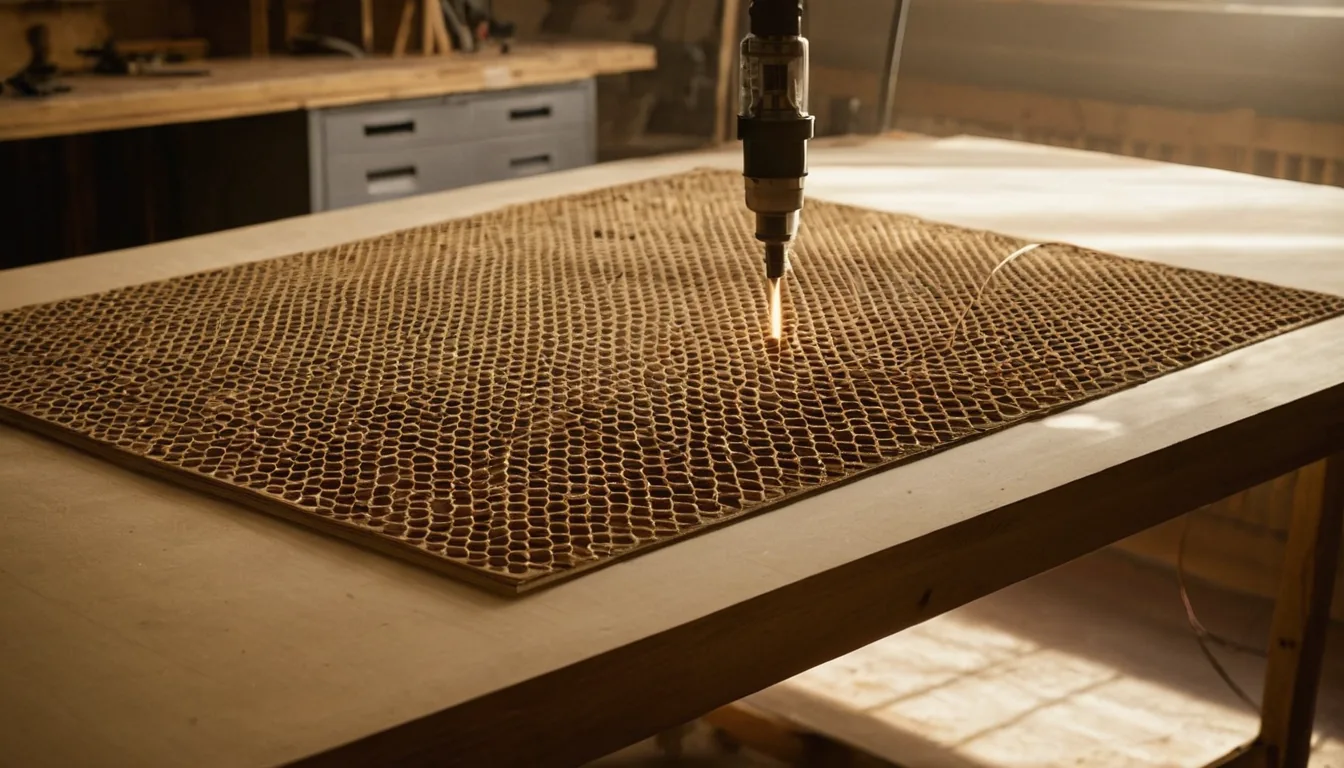
Searching for Creality Falcon2 Pro settings, LightBurn settings or material settings? Quick answer, from Creality’s own material-settings table for the Pro: on the 40W, 2 mm basswood engraves at 25% power and 6000 mm/min in one pass, 3 mm plywood cuts at 100% and 700 mm/min, and 0.2 mm kraft paper cuts at 40% and 4000 mm/min; on the 22W the same engrave is 40% and 6000, and the same paper cut 80% and 4000. We have not run a Falcon2 Pro ourselves. Speeds are in mm/min, the unit Creality uses.
Quick answer: the Falcon2 Pro is Creality’s enclosed Falcon2 with integrated air assist, sold as 22W, 40W and 60W. Creality publishes one table per power on its Falcon store, and the numbers below come from the 22W and 40W sections of that table. They are close to the open-frame Falcon2’s, so the 22W engraving column matches our Falcon2 22W guide; use that page if you own the open-frame model. For creality falcon 2 pro 22w material settings and 40w material settings, read the matching column; the two are not interchangeable, because the percentage is a share of a different laser. The 60W has its own section in Creality’s table that we did not copy.
Creality Falcon2 Pro settings (power % / speed mm/min / passes)
Every row is copied whole from one row of Creality’s table “Material Settings of Creality Falcon Laser Series” on the CrealityFalcon store (Creality’s own Falcon shop), sections “Falcon 2 Pro 22W” and “Falcon 2 Pro 40W”; the operation label is Creality’s Processing Mode, Engraving or Cutting. Creality says the figures are for reference. Nothing here is our own cut: confirm each on scrap with a material test grid.
| Material | Job | Pro 22W | Pro 40W |
|---|---|---|---|
| Basswood 2 mm | Engrave | 40% / 6000 / 1 | 25% / 6000 / 1 |
| Walnut plywood 3 mm | Engrave | 35% / 6000 / 1 | 20% / 6000 / 1 |
| Rosewood plywood 3 mm | Engrave | 35% / 6000 / 1 | 20% / 6000 / 1 |
| Bamboo 3 mm | Engrave | 40% / 6000 / 1 | 25% / 6000 / 1 |
| Brown leather 0.65 mm | Engrave | 18% / 6000 / 1 | 12% / 6000 / 1 |
| Kraft paper 0.15 mm | Engrave | 18% / 6000 / 1 | 12% / 6000 / 1 |
| Red card paper 0.2 mm | Engrave | 15% / 6000 / 1 | 8% / 6000 / 1 |
| Red felt 0.8 mm | Engrave | 13% / 6000 / 1 | 7% / 6000 / 1 |
| Black opaque glossy acrylic 3 mm | Engrave | 50% / 4000 / 1 | 26% / 4000 / 1 |
| Purple, red, orange or green opaque glossy acrylic 3 mm | Engrave | 50% / 6000 / 1 | 26% / 6000 / 1 |
| Black frosted acrylic 3 mm | Engrave | 40% / 3000 / 1 | 22% / 3000 / 1 |
| Anodised aluminium 3 mm | Engrave | 60% / 6000 / 1 | 30% / 6000 / 1 |
| White tile painted black 6 mm | Engrave | 50% / 4000 / 1 | 28% / 4000 / 1 |
| Kraft paper 0.2 mm | Cut | 80% / 4000 / 1 | 40% / 4000 / 1 |
| Red card paper 0.2 mm | Cut | 50% / 4000 / 1 | 30% / 4000 / 1 |
| Red felt 0.8 mm | Cut | 55% / 4000 / 1 | 35% / 4000 / 1 |
| Brown leather 0.65 mm | Cut | 100% / 2000 / 1 | 70% / 4000 / 1 |
| Basswood 3 mm | Cut | not listed here (see below) | 100% / 850 / 1 |
| Walnut or rosewood plywood 3 mm | Cut | not listed here (see below) | 100% / 700 / 1 |
Why the percentages differ: 40% on the 22W and 25% on the 40W are close to the same absolute power (about 9 W and 10 W of optical power), so the two columns agree with each other. Opaque acrylic engraves at 50% on the 22W and 26% on the 40W for the same reason. Do not copy a percentage from one column into the other machine.
Rows we left out, and why
- 22W wood and plywood cuts (3 mm basswood at 550 mm/min in one pass and similar): our own pages for 20 W-class diodes cut 3 mm wood slower than that, so we left them out here as on the 22W guide. Treat any thick-wood figure on a 22W as a ceiling.
- 40W cuts of 5 mm and thicker (5 mm basswood 700, 8 mm 400, 15 mm 150 mm/min, all one pass): faster than our open-frame Falcon2 40W guide, which cuts 6 mm plywood at 100% / 300 over 2–3 passes. The 3 mm rows above are close to that page (700 against 600, which it runs for 1–2 passes); the thicker ones are not, so add passes.
- All acrylic cut rows. Creality’s own table gives the same 3 mm acrylic 1, 2 or 3 passes at the same power and speed, so it is not a usable pattern. Our rule on every diode guide stands: clear acrylic does not cut at 455 nm, and dark opaque acrylic is slow.
- Transparent coloured acrylic engraving and brushed stainless engraving. The beam is largely transmitted by clear stock, and bright bare steel barely marks without a marking spray. See marking spray on diode lasers.
The charts from this site in one printable book: The Laser Settings Handbook — 18 machines, 11 material charts, the 15 fixes and a settings log in 168 pages. Machine guides added since the book was made are free online only. Read the free 13-page sample.
Get an exact price for the Falcon2 Pro
Settings give the time; the price is time times your hourly rate plus material and setup. Take the cut length and speed into the laser cutting time calculator, then the calculator. Convert mm/min to mm/s by dividing by 60: 700 mm/min is about 11.7 mm/s.
Models and specs
| Item | Falcon2 Pro 22W | Falcon2 Pro 40W |
|---|---|---|
| Laser | Diode, 22W optical, 455±5 nm | Diode, 40W optical (listed 40W+1.6W), 455±5 nm |
| Spot size | 0.08 × 0.1 mm | 0.08 × 0.12 mm |
| Working area | 400 × 415 mm | 400 × 415 mm |
| Weight | 18.04 kg | 18.56 kg |
| Enclosure | Enclosed, FDA Class 1, stops when the lid opens, integrated air assist | |
| Software | LightBurn, LaserGRBL, Falcon Design Space | |
Source for the specs: the Falcon2 Pro product page on the CrealityFalcon store, which Creality’s own store links redirect to. Creality’s page also prints cutting-ability claims for the Pro (for example 20 mm basswood in one pass on the 40W); we do not repeat them, because they are marketing ceilings and our rows above stop at 3 mm.
What a Falcon2 Pro runs on
The Pro is enclosed with air assist built in, so the extras are stock and a bed that lets the beam exit.
Basswood sheets 3 mm: Check price on Amazon ↗
Honeycomb bed: Check price on Amazon ↗
Black opaque acrylic sheets 3 mm: Check price on Amazon ↗
Anodised aluminium business cards: Check price on Amazon ↗
Disclosure: some links are affiliate links — if you buy through them we may earn a small commission at no extra cost to you. As an Amazon Associate I earn from qualifying purchases. Prices are approximate list prices at the time of writing; always check the current offer.
Bed size: what actually fits
The Falcon2 Pro 22W and 40W have a working area of 400 × 415 mm. That decides which stock sizes you can buy without cutting them down first.
| Common stock | Size | On this machine |
|---|---|---|
| A4 sheet | 297 × 210 mm | Fits |
| 300 × 300 mm craft ply | 300 × 300 mm | Fits |
| 400 × 400 mm sheet | 400 × 400 mm | Fits edge to edge |
| 600 × 400 mm sheet | 600 × 400 mm | Does not fit: cut it down first |
Is the Falcon2 Pro still sold?
Yes, as far as we can see: on 14 November 2026 the CrealityFalcon product page for the Pro had add-to-cart buttons and in-stock markup for the 22W, 40W and 60W, and Creality’s store links redirect to it. We did not check stock or delivery.
What the Creality Falcon2 Pro settings above do not cover
- No clear acrylic. A 455 nm diode beam passes through it; use opaque stock or a CO2 machine (diode vs CO2).
- No 60W rows. Creality publishes a 60W section; we left it out.
- No LightBurn library values. The user-posted Falcon2 Pro library on Creality’s forum is not manufacturer data, so none of it is used.
- No bare metal. Anodised or coated metal marks; bright steel needs a spray.
Troubleshooting: symptom, cause, fix
| Symptom | Likely cause | Fix |
|---|---|---|
| Cut does not go through | Focus for the wrong thickness, or speed too high | Re-set focus for this exact sheet, slow down, then add a pass. Check the back face. |
| Engraving looks shallow | Focus off, material not flat, power too low | Check focus and flatness, then raise power in 5% steps. |
| Scorched edges | Too slow with too many passes, air assist weak | Prefer fewer, faster passes; check the air assist. |
| The settings from the Falcon2 22W guide look too strong or too weak | Different power module: the percentage is a share of 22W or 40W | Use the column for your own power. |
Material cost per item
The 400 × 415 mm bed takes 3 mm sheets cut to 400 × 400 mm. See where to buy laser materials.
FAQ
What are good Creality Falcon2 Pro 40W settings for wood?
Creality's own table for the Pro 40W gives 2 mm basswood engraving at 25% / 6000 mm/min / 1 pass, 3 mm walnut or rosewood plywood engraving at 20% / 6000, and cutting 3 mm basswood at 100% / 850 mm/min and 3 mm plywood at 100% / 700 mm/min in one pass. Confirm on scrap; our open-frame Falcon2 40W guide runs 3 mm plywood at 600 mm/min for 1-2 passes.
What are Creality Falcon2 Pro 22W material settings?
Creality's 22W Pro column engraves 2 mm basswood at 40% / 6000 mm/min, 3 mm walnut plywood at 35% / 6000, brown leather at 18% / 6000 and black opaque acrylic at 50% / 4000, all one pass. It cuts 0.2 mm kraft paper at 80% / 4000 and red felt at 55% / 4000.
Is the Falcon2 Pro table the same as the Falcon2 table?
Largely. Creality's Pro 22W engraving numbers match its Falcon2 22W numbers, with some material names changed. We kept a separate guide because the Pro is a different, enclosed machine; the open-frame guide is the Falcon2 22W guide.
What are Creality Falcon2 Pro LightBurn settings?
Use the power and speed in the table as LightBurn layer values: speed in mm/min (divide by 60 for mm/s), power in percent, one pass unless stated. Creality's Falcon2 Pro lists LightBurn, LaserGRBL and Falcon Design Space as compatible.
Can the Falcon2 Pro cut clear acrylic?
No. It is a 455 nm diode and clear acrylic passes the beam. Creality's table lists only coloured opaque and frosted acrylic, and we left out all of its acrylic cut rows because the pass counts are inconsistent.
How big is the Falcon2 Pro work area?
400 x 415 mm on the 22W and 40W, per Creality's product page. The 60W is listed at 400 x 400 mm.
Do the 22W and 40W Falcon2 Pro use the same percentages?
No. In Creality's table the same engraving job uses about 40% on the 22W and about 25% on the 40W, because the percentage is a share of a different laser.
Is the Creality Falcon2 Pro still sold?
Yes as far as we can see: Creality's Falcon store listed the Pro 22W, 40W and 60W with add-to-cart buttons on 14 November 2026.